
Industrial automation
Why Touch Screen HMIs Matter in Automation Systems
Why touch screen operator interfaces (HMIs) are central to modern automation, how to choose one for a machine or panel, and what to send EKA CNC when you need a new or replacement HMI.
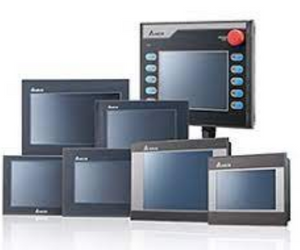
A touch screen operator interface, often referred to as a Human-Machine Interface (HMI), is a critical component in automation systems for several reasons:
User-Friendly Interaction: Touch screen interfaces are intuitive and user-friendly, allowing operators to interact with automation systems through taps, swipes, and gestures. This makes it easier for operators to monitor and control machinery, with less specialised training.
Improved Efficiency: Touch screen HMIs streamline the interaction between operators and automation systems, reducing the time required for data entry, monitoring, and control. This efficiency can lead to increased productivity and reduced downtime.
Real-Time Data Visualization: Touch screen interfaces provide real-time data visualization, enabling operators to see the status of the automation system, including variables like temperature, pressure, flow rates, and machine statuses, at a glance. This immediate access to information is crucial for quick decision-making and issue resolution.
Customization: HMIs are highly customisable, allowing operators to tailor the interface to their specific needs. They can arrange data displays, set alarms, and create custom control screens that match their workflow, which is especially important in complex automation systems.
Remote Access: Many touch screen HMIs support remote access and monitoring, which is invaluable for industries that require operators to check and control processes from a distance. This can lead to cost savings and quicker response times in case of issues.
Reduced Human Error: Touch screen interfaces can be programmed with built-in logic and validation, which can prevent operators from entering incorrect data or making mistakes during machine operation. This helps improve the overall quality and accuracy of the automation process.
Alarm Handling: HMIs can provide clear and immediate notifications of alarms or abnormal conditions, ensuring operators can quickly respond to issues or emergencies. The ability to acknowledge and prioritize alarms is essential for safety and operational continuity.
Data Logging and Reporting: Touch screen interfaces often include data logging capabilities, allowing operators to record and retrieve historical data for analysis and reporting. This data can be critical for quality control, process optimization, and compliance with industry standards.
Remote Diagnostics and Maintenance: With remote access and diagnostics capabilities, technicians and engineers can troubleshoot and perform maintenance on automation systems from a remote location, reducing downtime and minimizing the need for on-site visits.
Enhanced Safety: Touch screen interfaces support safe operation with password-protected access levels, confirmation prompts and clear interlock status screens. Emergency stop buttons and safety interlocks must still be hardwired; they should never depend on a touch screen button.
In summary, a touch screen operator interface is a vital component in modern automation systems. It enhances user-friendliness, increases efficiency, and provides access to real-time data, contributing to the overall success of automated processes. These interfaces play a key role in maintaining productivity, safety, and data-driven decision-making in various industries, including manufacturing, agriculture, energy, and more.
How to Choose a Touch Screen HMI
- Screen size and resolution: common sizes range from about 4 to 15 inches. Choose by how much information each screen must show and how far the operator stands.
- Touch technology: resistive screens work with gloves and are common in workshops. Capacitive screens support gestures but may need suitable gloves.
- PLC communication: confirm the HMI has drivers for your PLC and the right port: serial (RS-232/RS-485), Ethernet or a fieldbus.
- Front panel protection: check the front IP rating if the panel is exposed to coolant, oil or dust.
- Power supply: most panel HMIs run on 24 V DC.
- Software: check the cost and licensing of the configuration software, and whether you can edit the project yourself.
- Panel cut-out: for a replacement, matching the existing cut-out saves panel modification.
Replacing a Failed HMI
Typical HMI faults are a dark or flickering screen (often the backlight), touch that no longer registers in one area, a frozen boot screen and communication errors with the PLC.
- Note the exact model and part number from the label on the back.
- Back up the HMI project file if the unit still works, or locate the original project from the machine builder.
- Check whether the same model is available as new, surplus or used. A like-for-like unit can usually take the same project.
- If the model is obsolete, a newer model can often load a converted project, but screens, fonts and cut-out may need adjusting.
EKA CNC supplies HMIs, including Delta models, and can help match a replacement to your PLC.
Frequently Asked Questions
Can I replace my HMI with a different brand?
Yes, but the screens must be recreated in the new brand's software because project files are not interchangeable between brands. Check that the new HMI supports your PLC's protocol and fits the panel cut-out. A same-brand replacement is quicker if the project file is available.
What is the difference between an HMI and a SCADA system?
An HMI is usually a panel-mounted touch screen that controls and monitors one machine or process. SCADA is software on a PC or server that collects data from many PLCs across a plant, with wider logging, reporting and supervisory control. Many plants use both.
Why has part of my HMI touch screen stopped responding?
On resistive screens, a dead area often means the touch film is worn or damaged, usually from pressing with tools. Recalibrating the touch screen may help if touches register in the wrong place. If an area is completely dead, the touch panel or the whole HMI needs replacing.
Does EKA CNC supply HMIs and can it help with programming?
EKA CNC supplies HMIs, including Delta models, along with PLCs and custom control panels. Send your PLC model, the screen size you need and a short description of the application through Request a Quote, and ask about configuration support when you enquire.
Your next step
Need this part?
Send the part number or a photo of the nameplate. We reply with availability, compatible options and a quotation.
Related products
Parts and Products Mentioned in This Guide
Keep reading
More CNC and Automation Guides
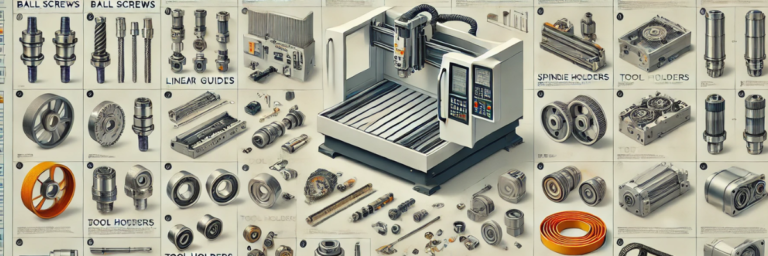
CNC Machine Spare Parts List: Key Components by System
Use this list to identify the mechanical, electrical, pneumatic, control and lubrication spares on a CNC machine. EKA CNC supplies new, reconditioned,…
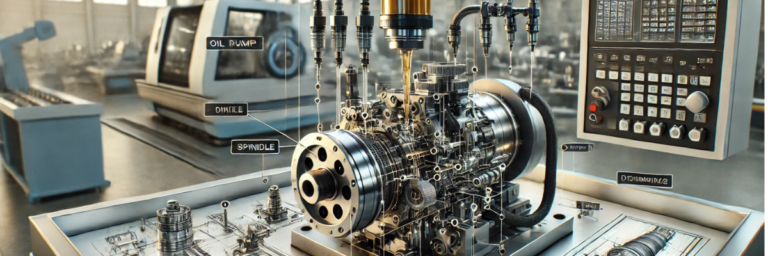
Function of a Lubrication Pump in a CNC Machine
A CNC lubrication pump feeds measured oil or grease to guideways, ball screws and bearings. This guide explains how it works, the warning signs of a f…
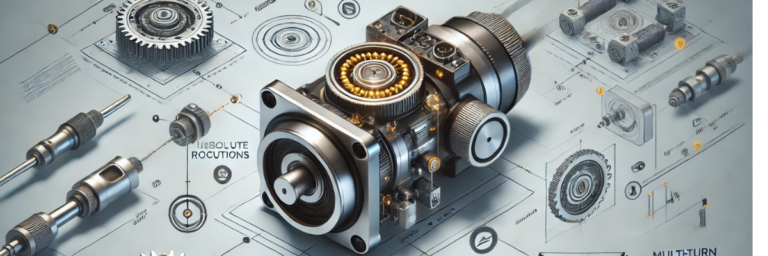
Function of a Multiturn Absolute Encoder and Its Importance
A multiturn absolute encoder reports a unique position across many shaft turns and keeps it through power loss. Learn how it works, how it compares wi…
From requirement to quotation
Have a part number or a machine down?
Send the model, nameplate photo or a short description. We check availability, compatible alternatives and lead time, then reply with a quotation.